Case study · ups.com
UPS Global Advisor
A guided international shipping workflow that helps customers move from an everyday product description to classification, compliance review, and an estimate of duties and taxes, without asking them to already understand customs terminology.
Customs asks questions most shippers can't answer on their own.
International shipping introduces information a customer may not already have: an HS classification, destination-specific requirements, compliance status, and an estimate of duties and taxes. Most shippers know what they're sending. Almost none of them know how customs will classify it, or what it will cost to get there. Global Advisor exists to close that gap before a package leaves the country, without requiring the customer to become a customs expert first.
How might we turn a complicated customs and tariff process into a guided workflow that helps customers make informed shipping decisions?
Three shippers, three starting points.
I didn't build demographic personas for this. The product itself implies three behavioral types, based on how much customs knowledge a shipper is walking in with, and how much control they want over the result.
"I know what I'm shipping. I don't know how customs classifies it."
- Guidance on what information is required
- A plain-language explanation of what an HS code is
- To know if the product can even be shipped, and what it might cost
"I've already classified this product once. I shouldn't have to start over."
- Reusable product information across shipments
- Country-specific classifications without re-entering data
- Compliance visibility as they add new markets
"I know the code. Let me use it."
- Speed, and a way to skip guided steps
- The ability to provide or edit an HS code manually
- Access to compliance details without extra hand-holding
From a product description to a shipping decision.
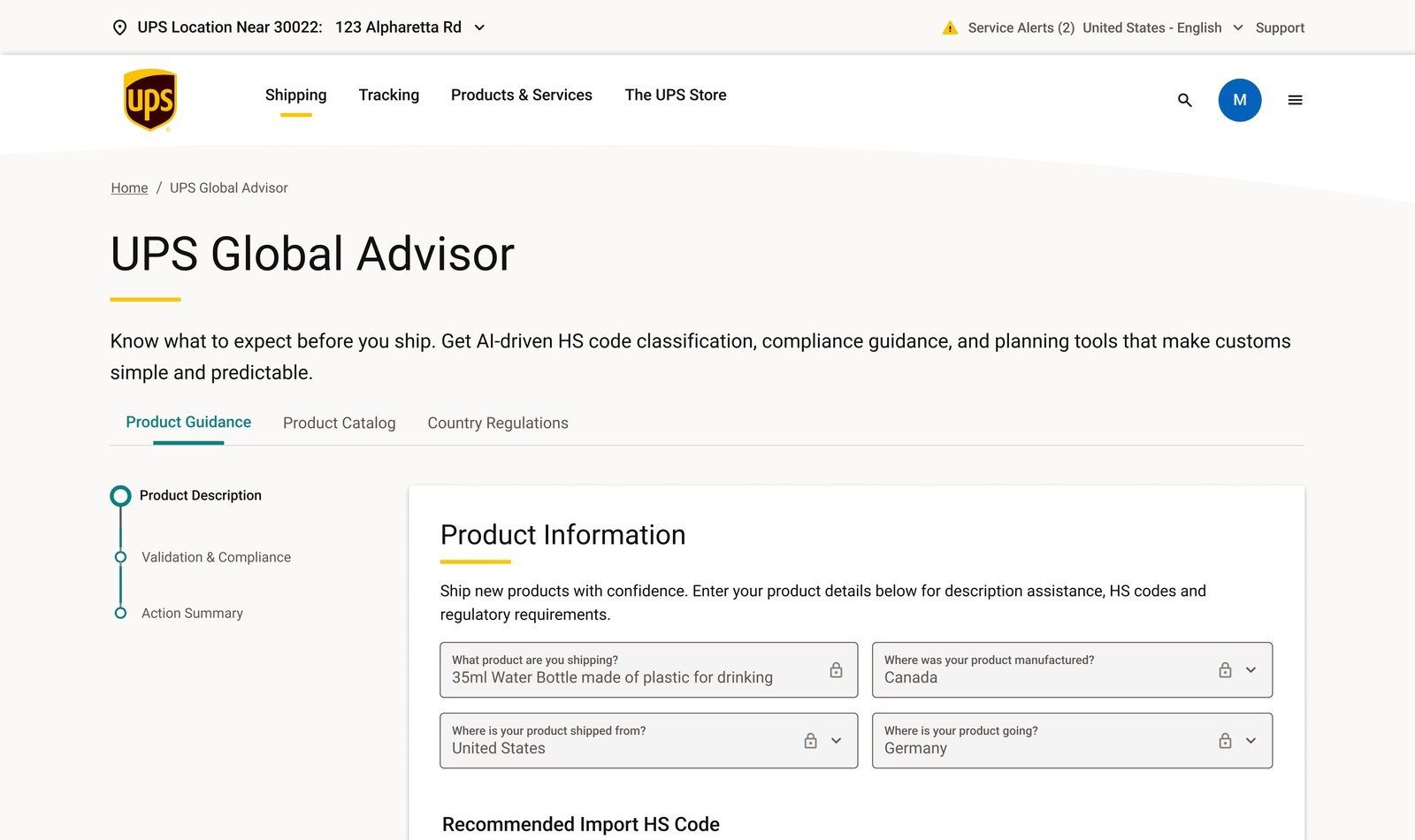
Every story in this case study is a piece of this path. A customer starts with plain language, "35ml Water Bottle made of plastic for drinking", and the workflow carries that description through refinement, classification, compliance, and cost, ending in a decision they can act on.
What guided the interface decisions.
I kept the first step intentionally small.
Instead of asking for specialized customs information right away, the workflow opens with four questions almost any shipper can answer without thinking twice.
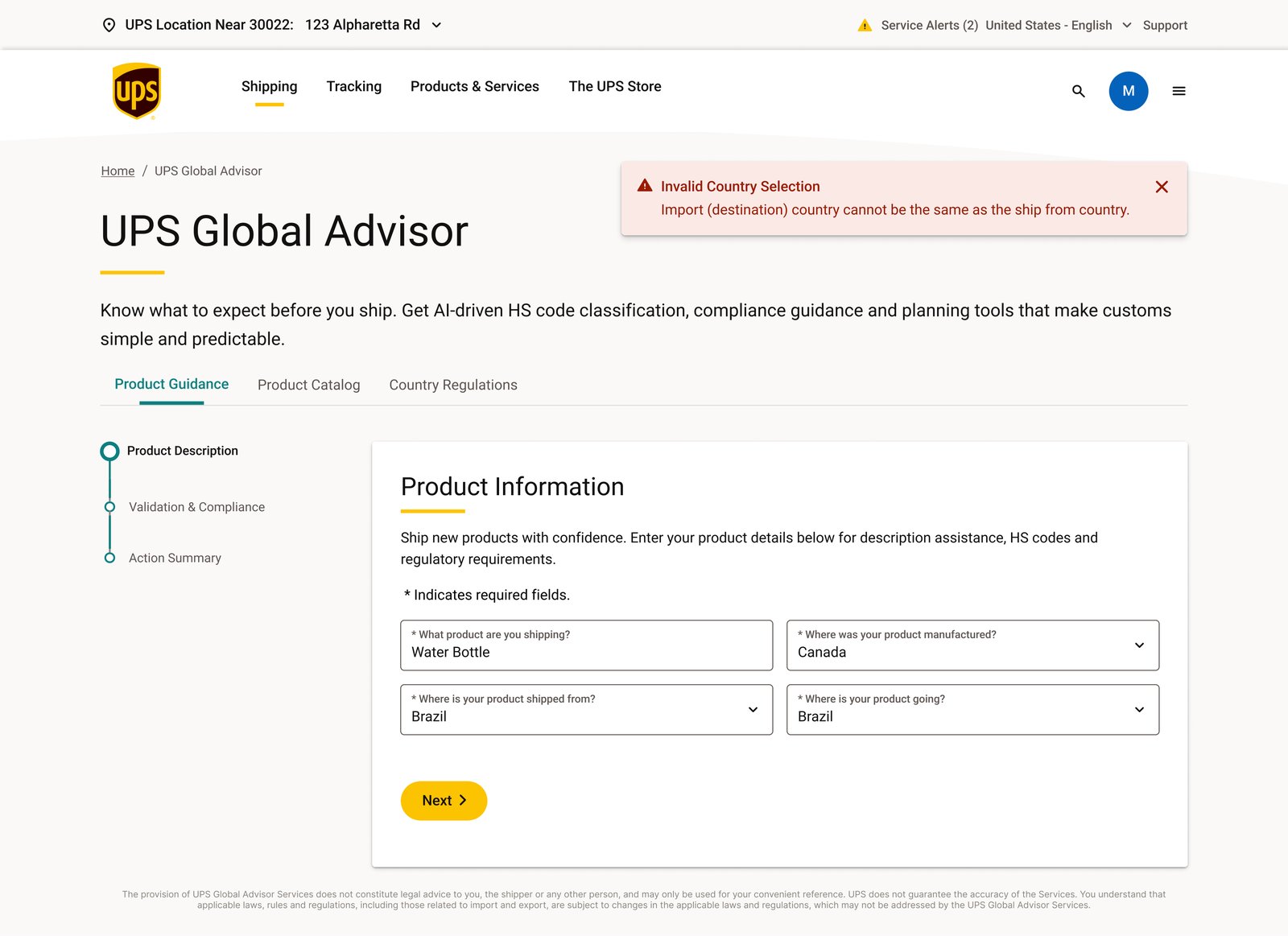
A shipment can't go from a country to itself. I added a check on the ship-from and destination fields so this kind of mismatch is caught while the customer is still on the first screen, not several steps later after they've entered product details, an HS code, and unit information.
The system suggests. The customer decides.
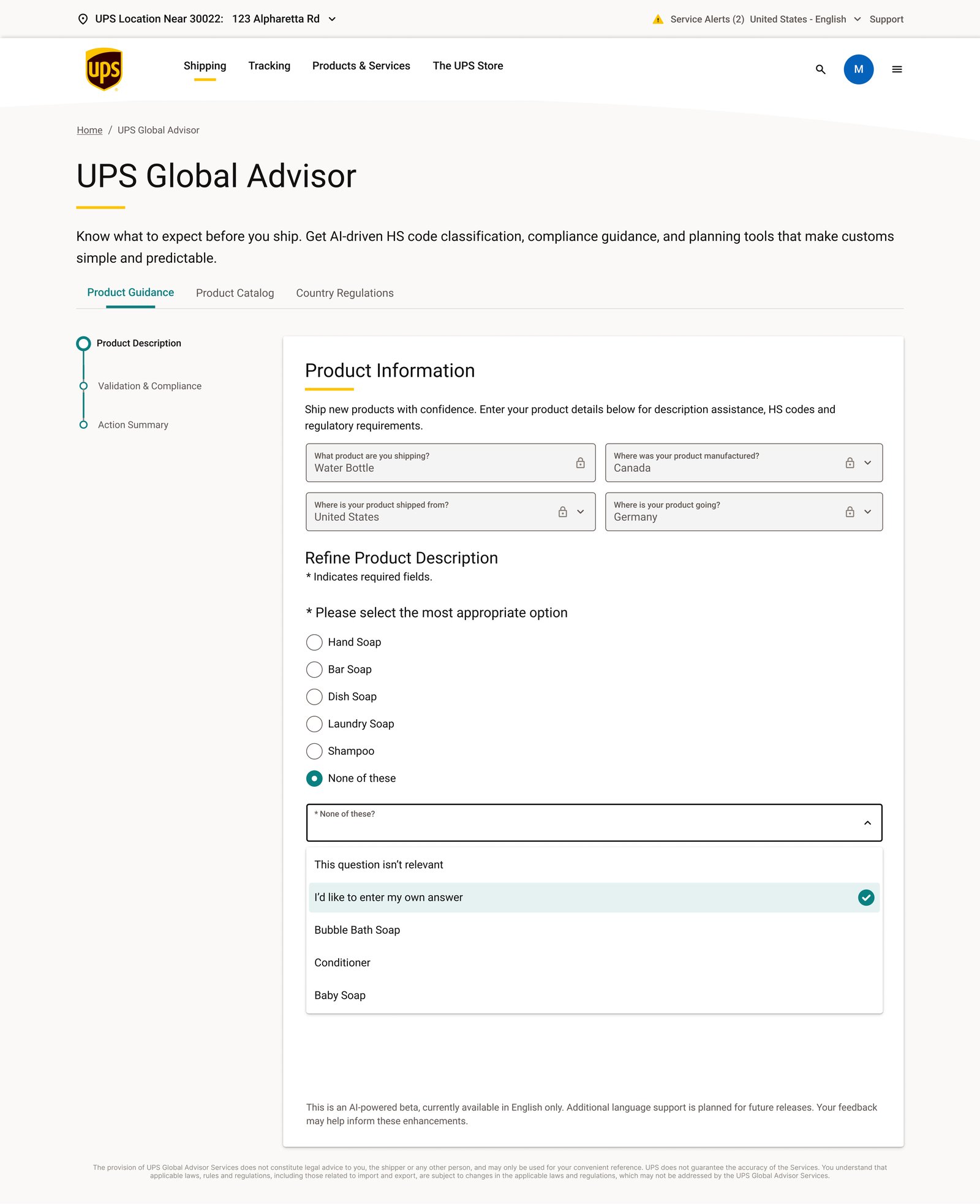
A description like "Soap" is too broad to classify accurately. Refine Product Description narrows it with a short list of likely matches, but every option is reversible. If none of the suggestions fit, the customer isn't stuck.
AI should behave as an assistant rather than an authority.
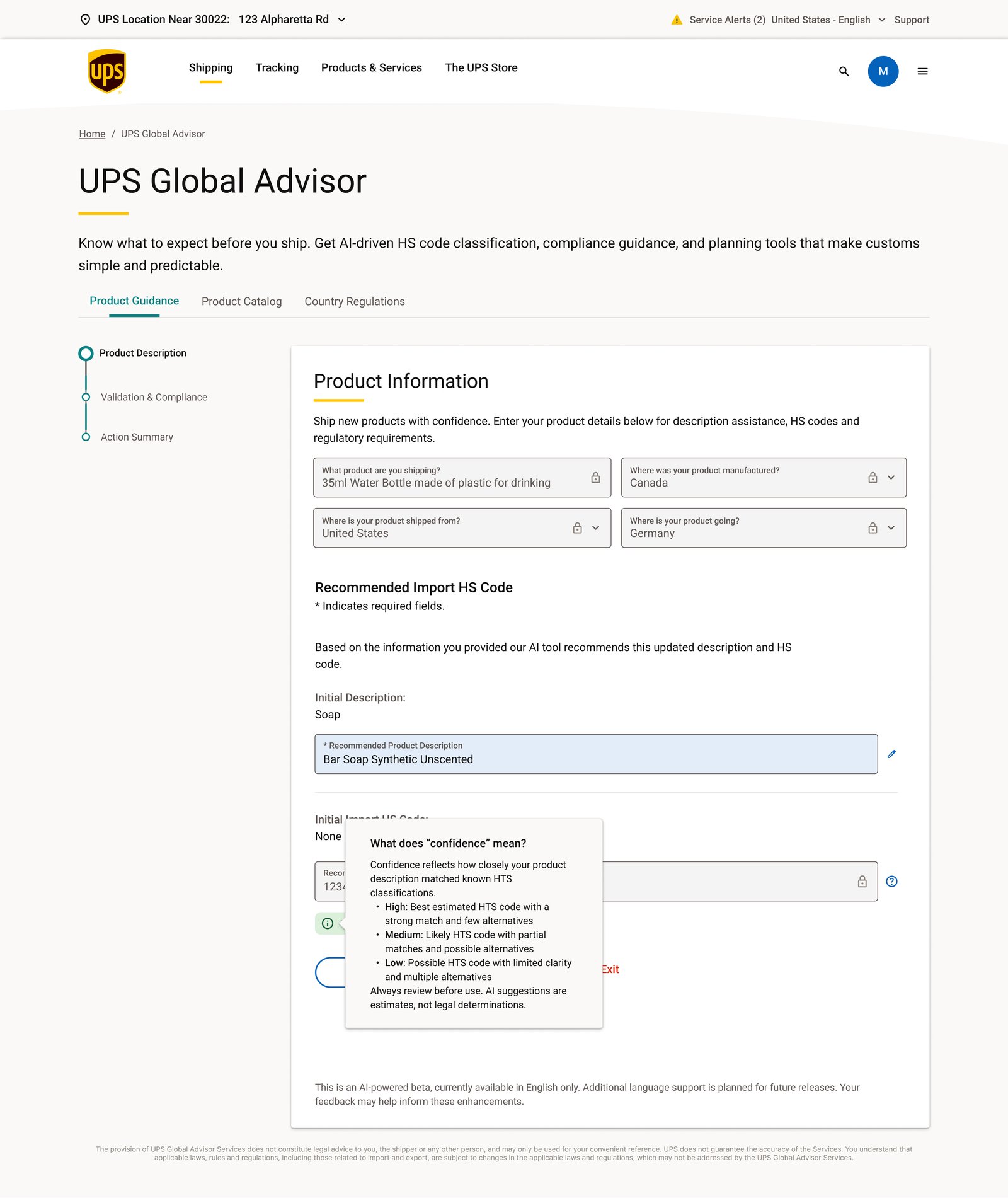
Confidence isn't the same as certainty.
The challenge here wasn't only generating an answer. It was communicating how much the customer should trust that answer. A customs classification has real operational consequences, so I didn't want confidence to read as a guarantee.
Reconstructed here for the case study from the confidence tooltip's copy: "Always review before use. AI suggestions are estimates, not legal determinations."
I separated the status from the detail.
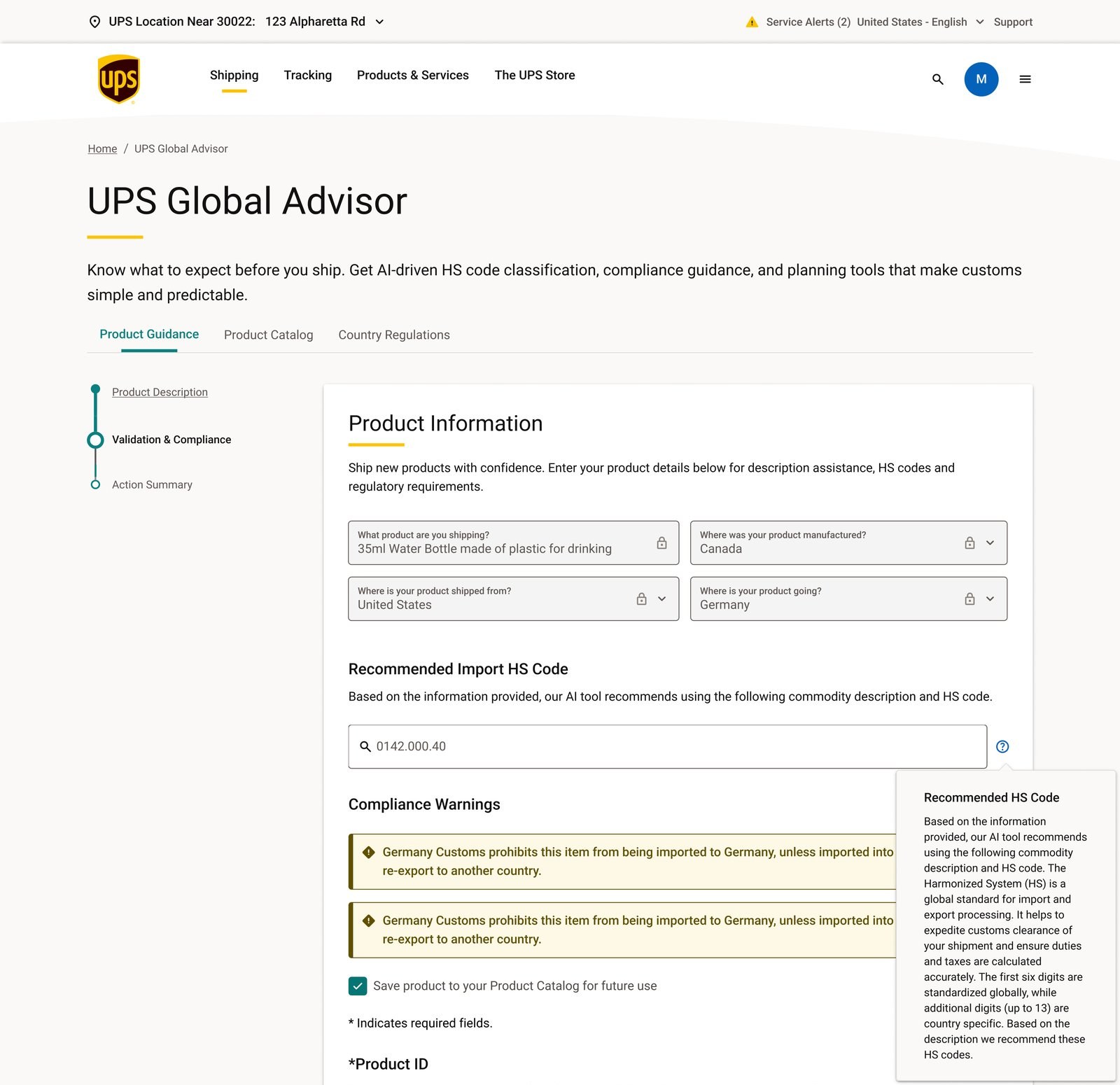
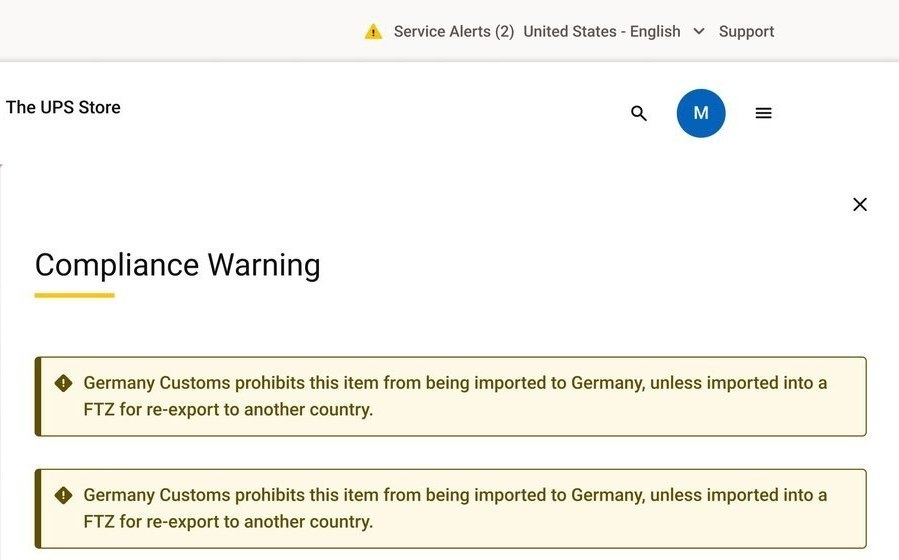
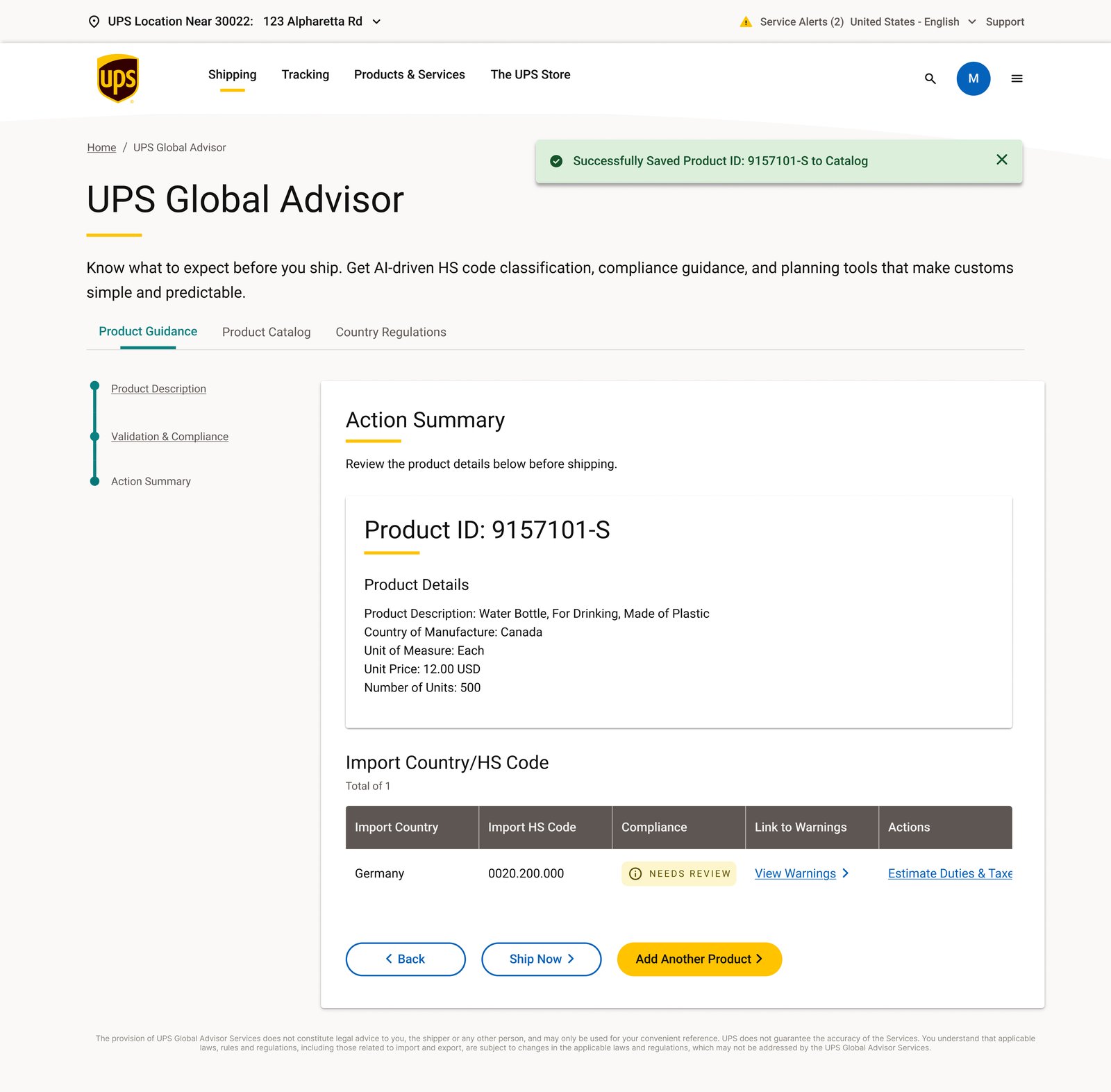
A compliance status like "Needs Review" answers one question, "do I need to pay attention to something?" It doesn't try to also answer "what exactly do I need to know?" That's a second question, and it belongs behind a click, not inline in a table row.
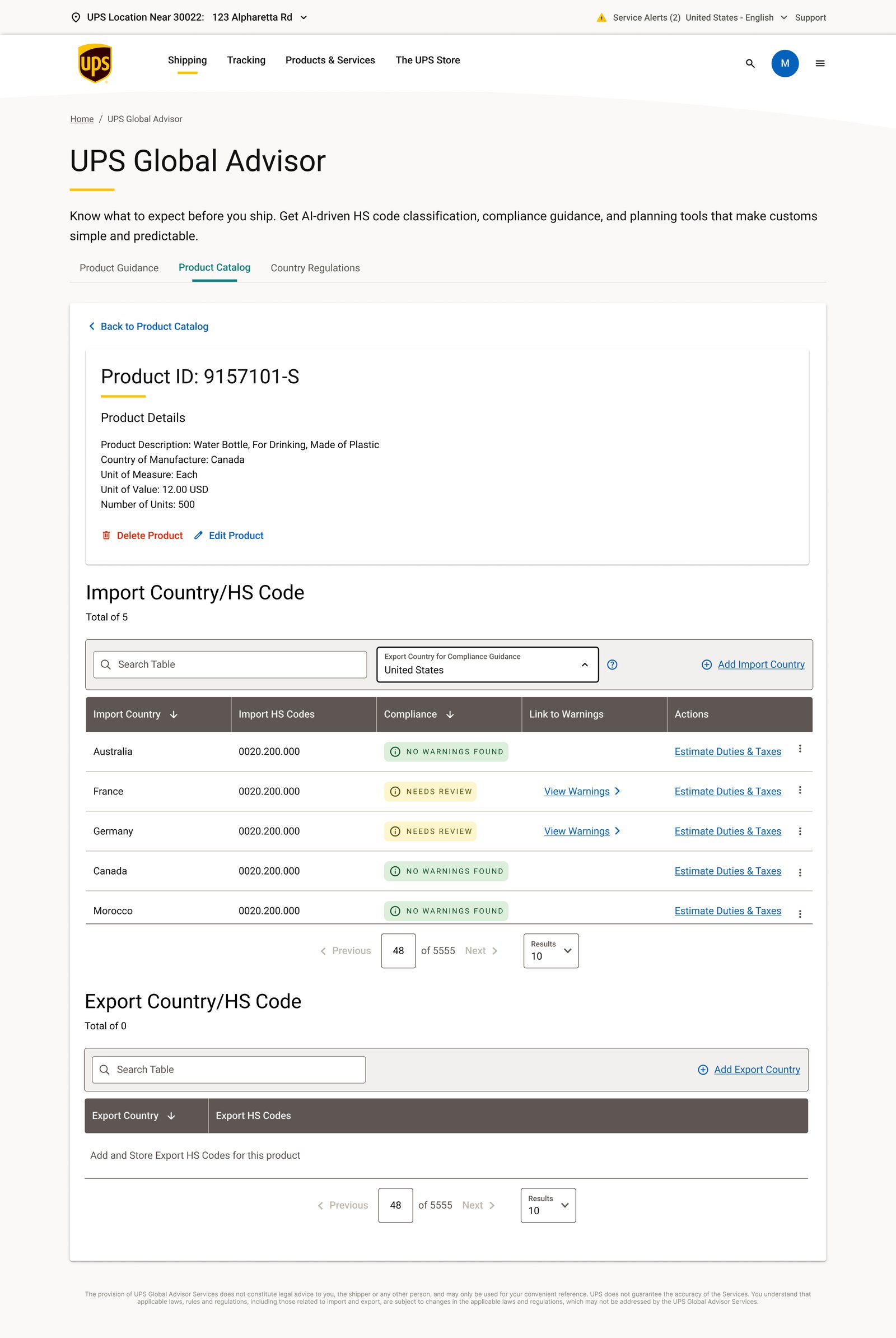
The same pattern works in reverse. In the product catalog, several countries for the same product show No Warnings Found instead of a blank cell, so the absence of a problem is stated, not implied.
Classification doesn't disappear after one calculation.
Once a product is saved to the catalog, it becomes a record a shipper can build on, not a form they fill out again next time. The same product, saved once, carries a separate HS code and compliance status for every import country added to it, Australia, France, Germany, Canada, Morocco, each tracked on its own row.
Ask for exactly what the estimate needs.
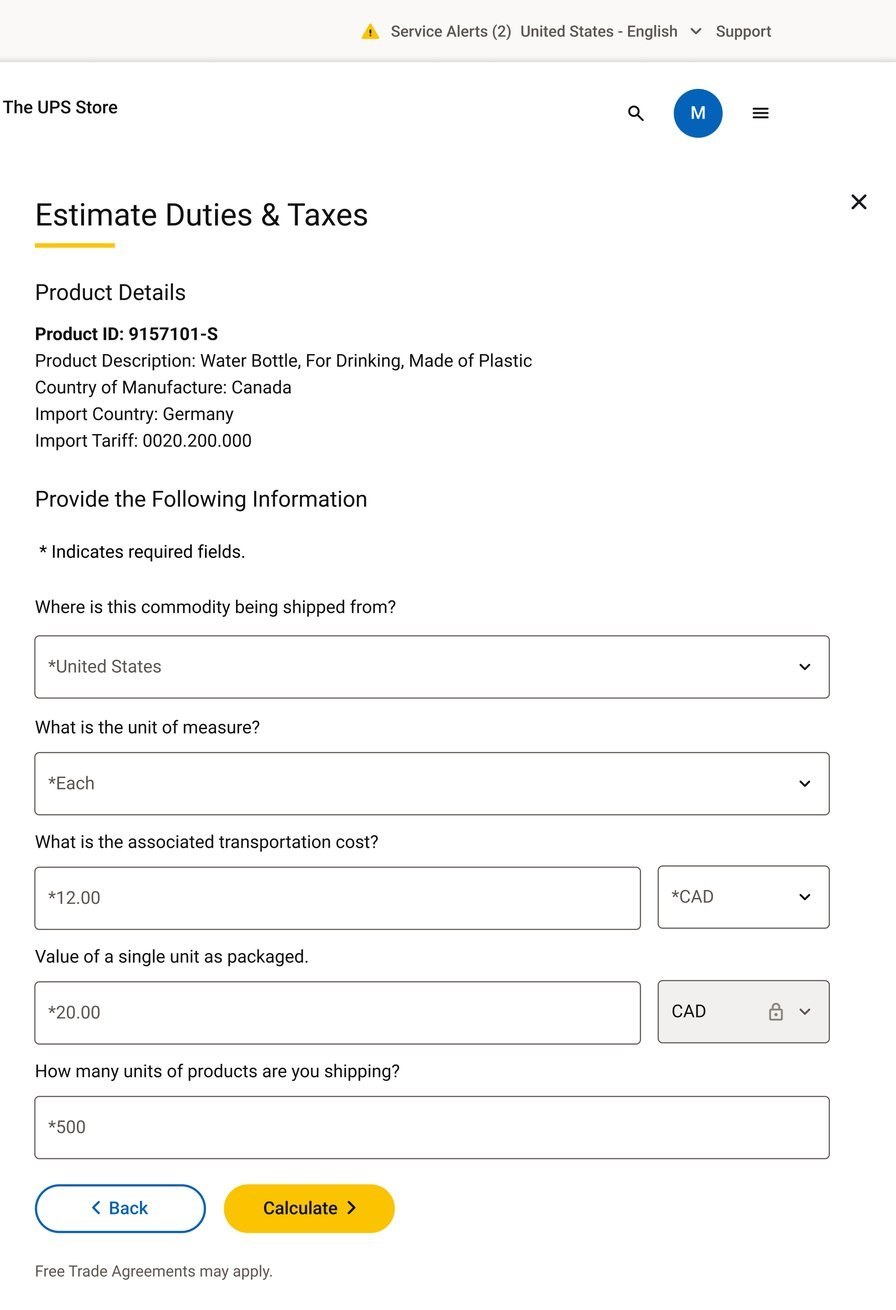
The Estimate Duties & Taxes step already has the product's HS code and origin from earlier steps, shown up top for reference, so the drawer only asks for what a duty calculation actually depends on: where the shipment ships from, the unit of measure, the transportation cost, the unit value, and the quantity.
I wanted the total to be inspectable, not just presented.
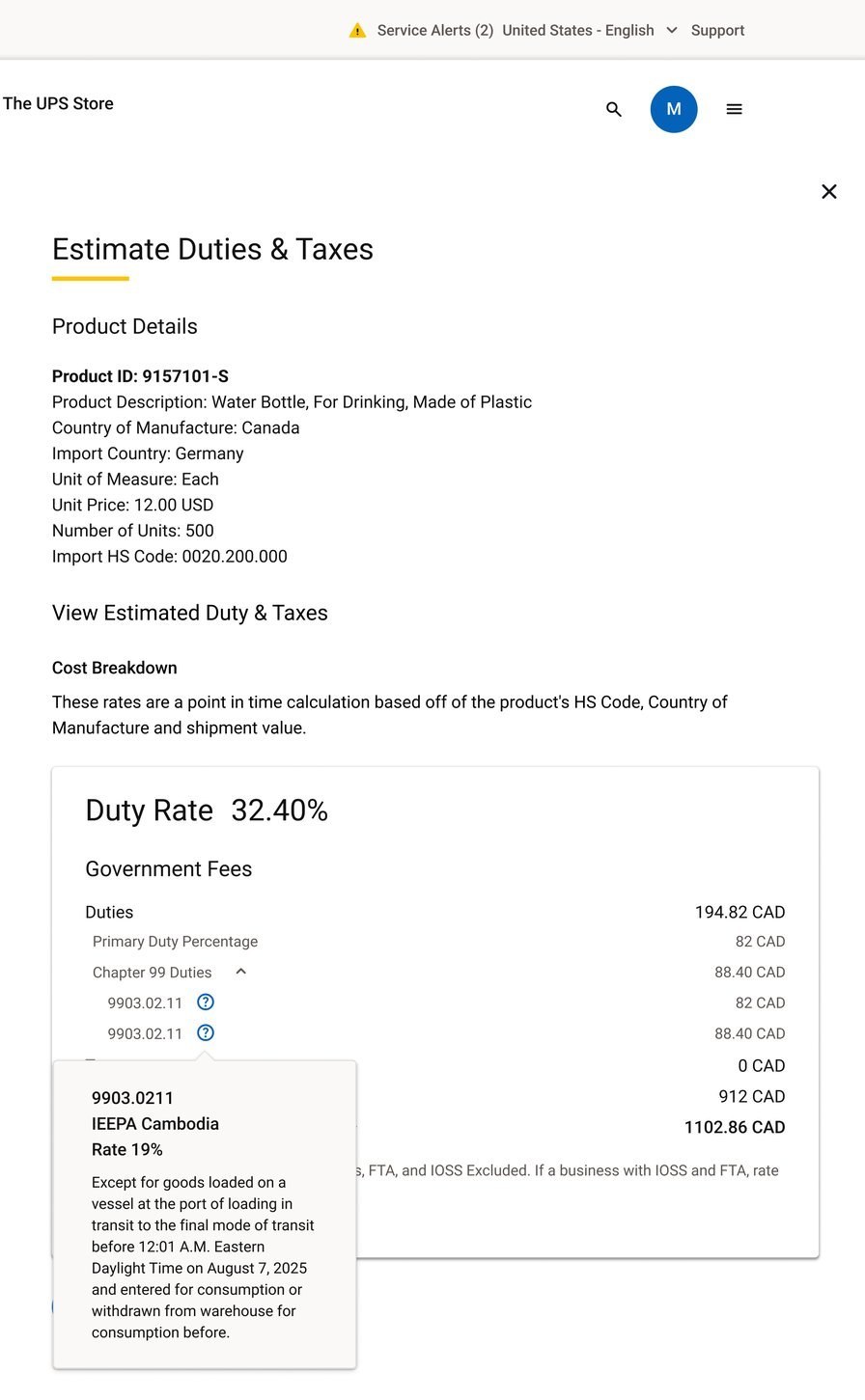
A single dollar figure is easy to distrust if there's nothing behind it. The Cost Breakdown shows the duty rate, then breaks the total into its parts, so a shipper can see where the number comes from instead of taking it on faith. Even a single Chapter 99 line item carries its own tooltip, with the specific tariff code, the rate, and the effective-date language behind it.
These figures are copied directly from the screen in the source file, they're point-in-time example numbers for one sample shipment, not a claim about typical costs. The interface also discloses its own limits: "Brokerage and other Partner Agency Fees, FTA, and IOSS Excluded."
A system, not a handful of polished screens.
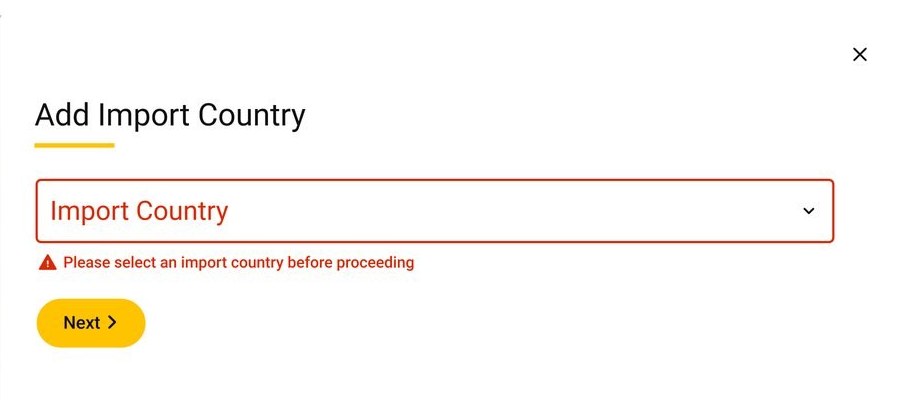
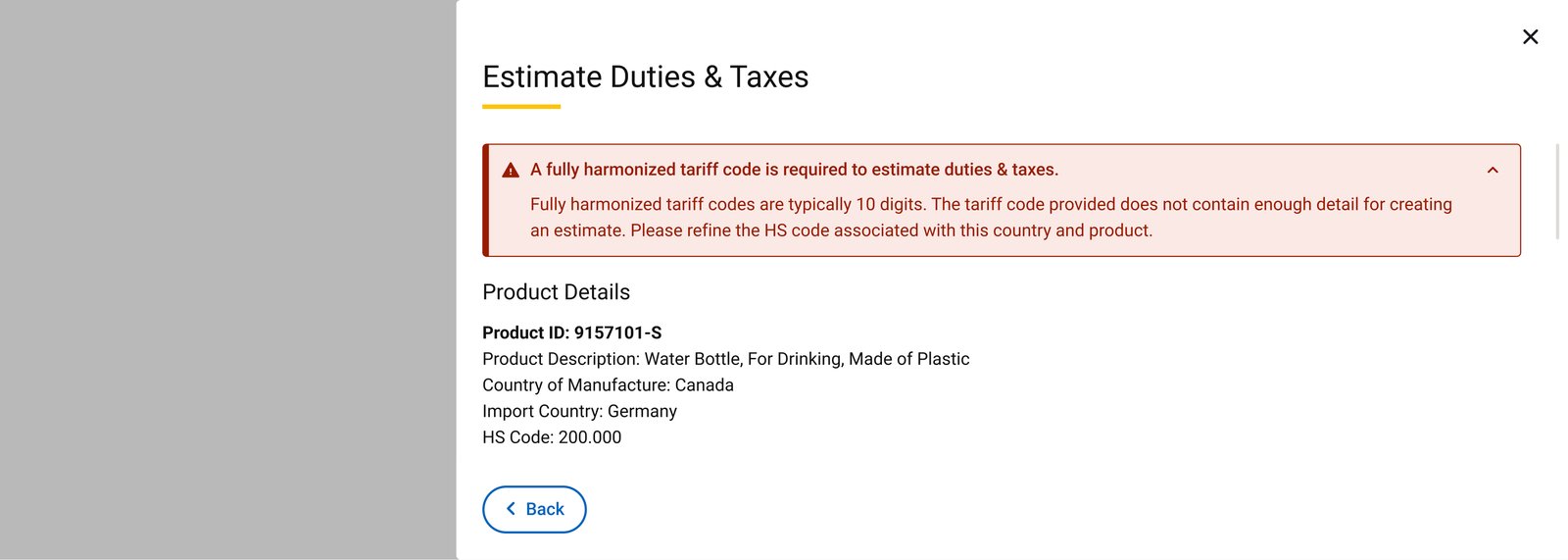
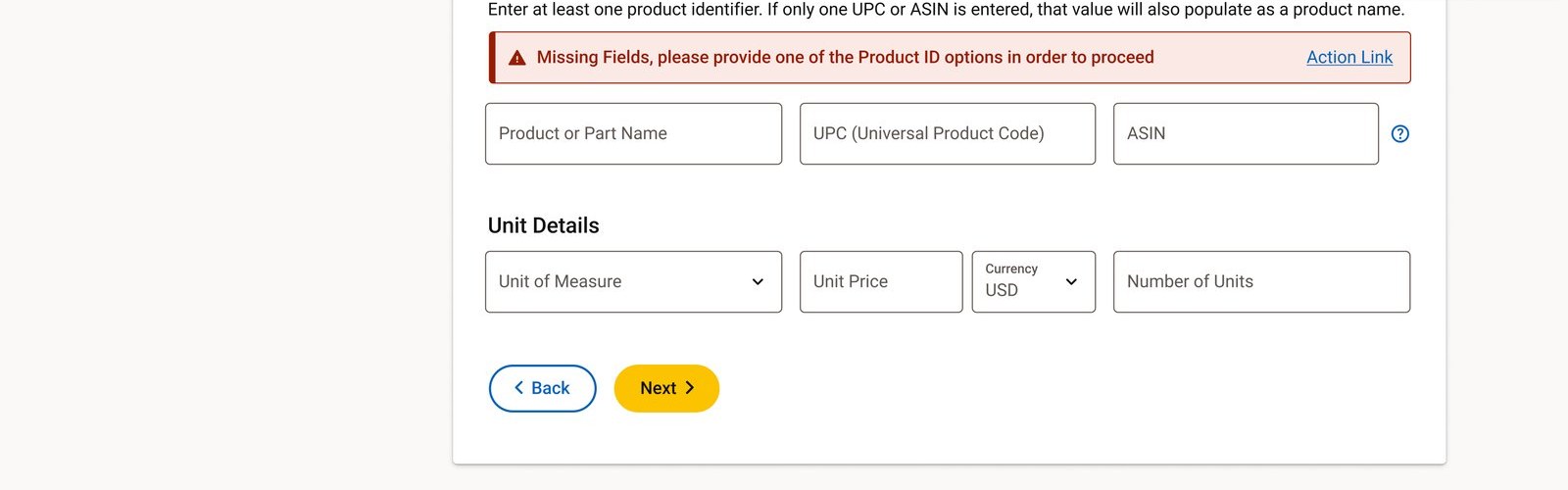
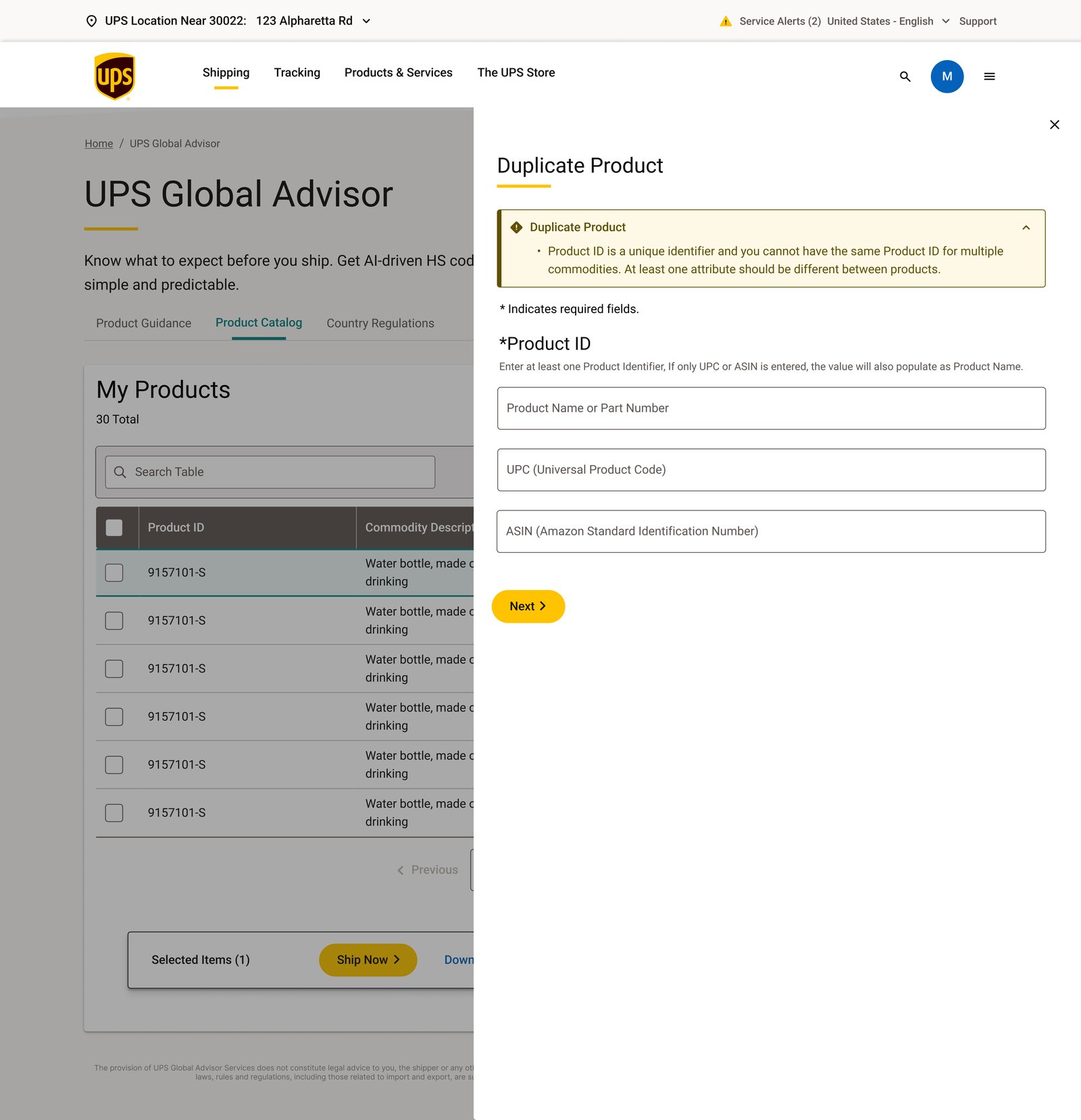
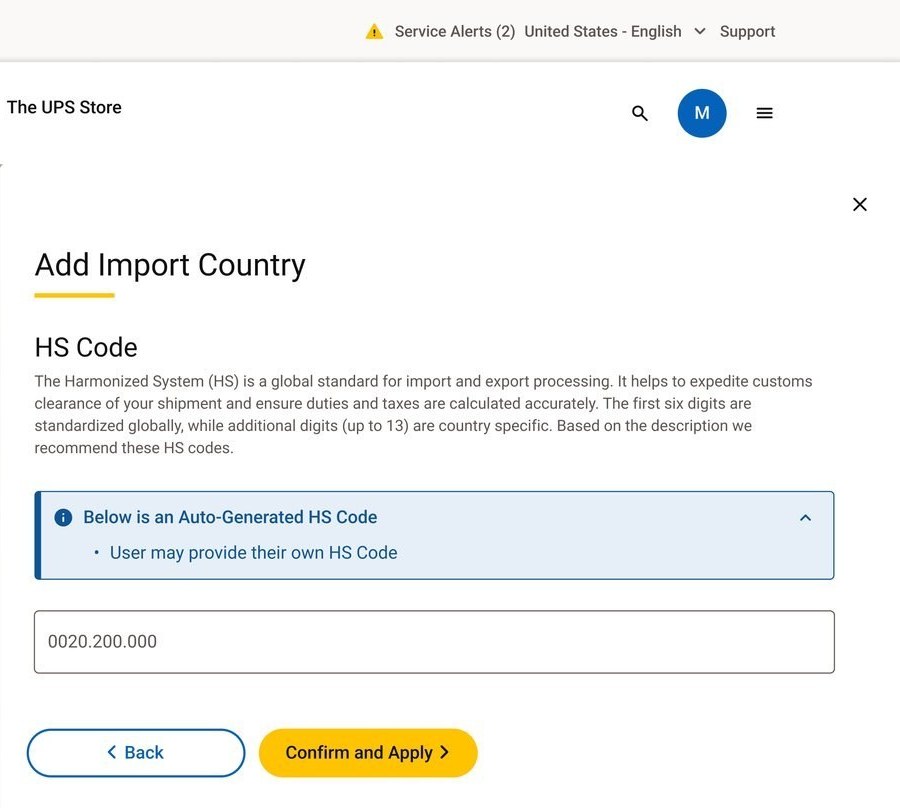
Most of the actual design work in a workflow like this is in the states nobody wants to look at twice: what happens when a code isn't specific enough, when a required field is missing, when two products would collide in the catalog. Here are a few of those states as they exist in the source file.
In their words.
Not a template process.
How information moves through Global Advisor.
One artifact I keep coming back to during a project like this: where does each piece of information come from, and what does it feed into next. This is that map for Global Advisor.
A conceptual before and after.
This isn't a literal redesign comparison, I don't have the prior ups.com customs experience to show side by side. It's a simple way to state what the workflow is actually solving: turning several separate unknowns into one connected path.
The goal is complexity reduction, connecting what used to be separate unknowns, not a manufactured before-and-after of a real prior interface.
A workflow, not a calculator.
I kept coming back to one idea while working on this: the value isn't the duty estimate by itself, it's everything that has to happen responsibly before that number can be trusted. A description that's specific enough to classify. A classification the customer understands and can review. A compliance check that surfaces real destination requirements. Only then does a cost estimate mean anything.